Illumio Containment Switch Playbook
Browse: 🏠 · Solutions · Connectors · Methods · Tables · Content · Parsers · ASIM Parsers · ASIM Products · 📊
This playbook leverages Illumio workloads API to contain and isolate a workload based on user inputs. 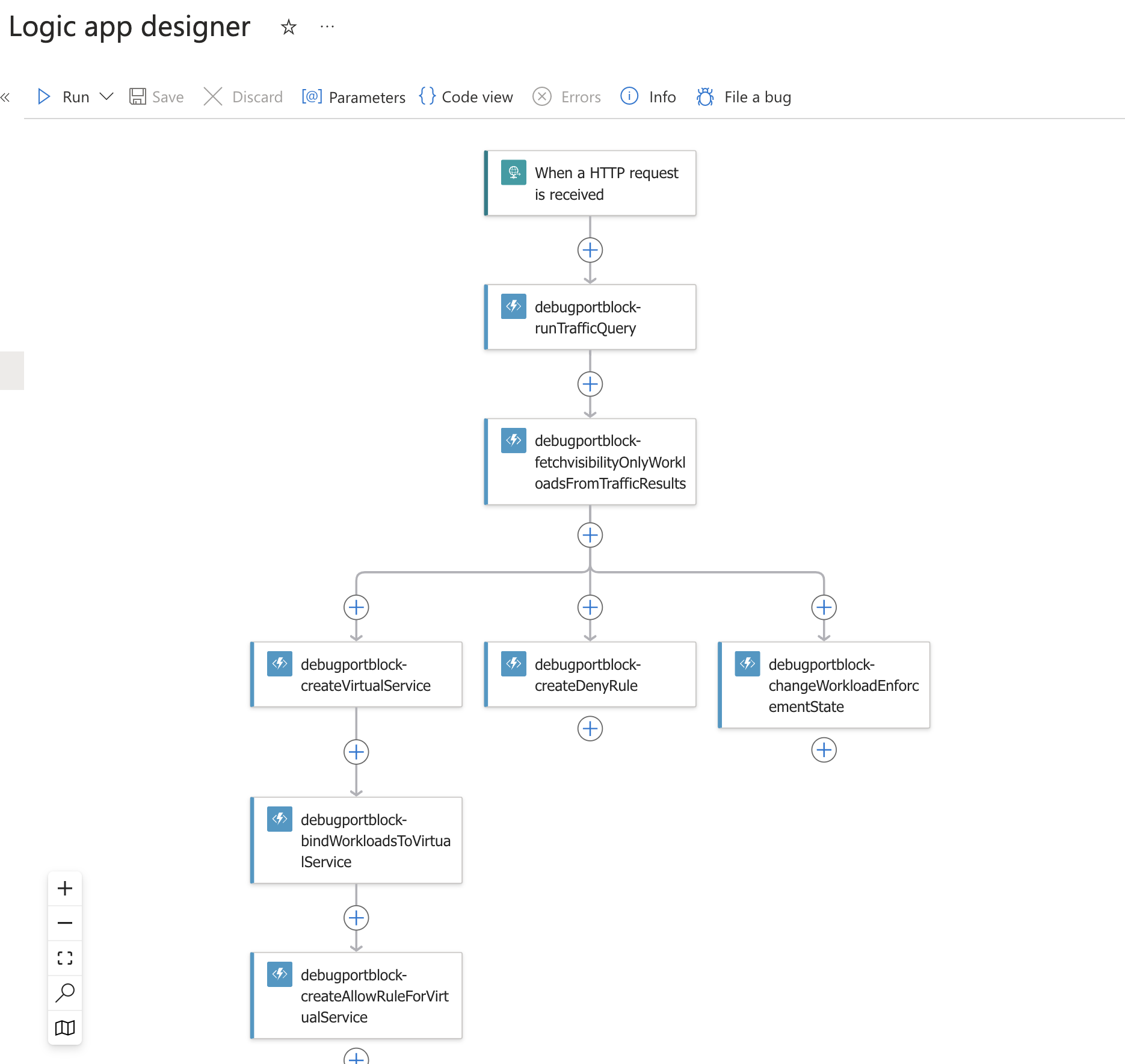 .
.
| Attribute | Value |
|---|---|
| Type | Playbook |
| Solution | IllumioSaaS |
| Source | View on GitHub |
Additional Documentation
📄 Source: Illumio-Port-Blocking-Switch/readme.md
Microsoft Sentinel Playbooks for Illumio Integration
Playbooks are collections of procedures that can be run from Microsoft Sentinel.
Containment Switch Playbook
The Containment Switch playbook is designed to help isolate workloads. It includes the following procedures:
- Run an Explorer Query
Queries Illumio PCE for potentially blocked or unknown traffic for a given port-protocol combination over the last week. - Get a List of Visibility-Only Workloads
Parses the query response to identify workloads marked as visibility-only. - Create a Deny Rule
Creates and provisions a deny rule from all IPs to all workloads for the specified port-protocol combination. - Create a Virtual Service
Creates and provisions a virtual service for the given port-protocol combination. - Create Workload Bindings
Binds workloads to the virtual service created in Step 4. - Create an Allow Rule
Creates and provisions an allow rule from workloads to the virtual service. - Change Enforcement State
Changes the enforcement state of visibility-only workloads to selective state.
Each procedure is implemented as a function within an Azure Function App.
How It Works
The playbook provides the following capabilities:
- Queries Illumio PCE for traffic matching the specified port-protocol combination.
- Parses the response to identify visibility-only workloads.
- Provisions rules and objects in the PCE based on the parsed data.
Example Input to the Playbook:
{
  "protocol": 17,
  "port": 5354,
  "applyChanges": true
}
Regarding "applyChanges": If true, the playbook will create and provision changes (including workload enforcement changes). If false, it skips object creation/modification steps and only provides a summary of actions, but traffic query results and parsed workloads will still be available.
To deploy, follow the below link
Deploy the function app first:
Deploy logic app next:
User can modify the playbook name, function app name as per requirements.
PCE fqdn, port, org id, api key and secret are needed for communicating with the pce. Once these are entered, click on next and follow steps to deploy.
Browse: 🏠 · Solutions · Connectors · Methods · Tables · Content · Parsers · ASIM Parsers · ASIM Products · 📊